QR Codes for Shops and Restaurants: Turn the Customer in Front of You Into a Repeat Order
The customer standing in your shop, or the one who just got their order, is the easiest customer to win back. A small QR code on the table or box gets them to your WhatsApp and accounts in a second.
Most businesses spend on ads to find new customers and forget the one who is already in the shop or just received an order. That customer has tried you and is the easiest person to sell to again. The problem is they leave without saving your number or following you. A QR code fixes that.
What should your QR code open?
A common mistake is pointing the code at an Instagram profile or a heavy PDF menu. It's better to open one page with:
- The order or booking button on WhatsApp.
- Your menu or prices.
- Branches and opening hours.
- Your accounts to follow.
That way customers choose what suits them: order now, or follow you to order later. See the link in bio for business guide.
Where to print your QR code
| Place | What to write next to it |
|---|---|
| Table card | "Scan to order on WhatsApp" |
| Box or order bag | "Order again from here" |
| Shop window | "Menu and hours", for people passing when you're closed |
| Printed menu | "Follow us for what's new" |
| Receipt or card with the order | "Review us or order again" |
Always add a line that says what happens after the scan. Hardly anyone scans a code with no words next to it.
Print size and scanning tips
- Don't print the code smaller than about 2.5 cm, and go bigger if it will be scanned from a distance, like a shop window.
- Leave white space around the code.
- Print it dark on a light background.
- Test it with several phones before printing a large batch.
- Give printers the SVG version, which stays sharp at any size.
QR codes on Wasilo
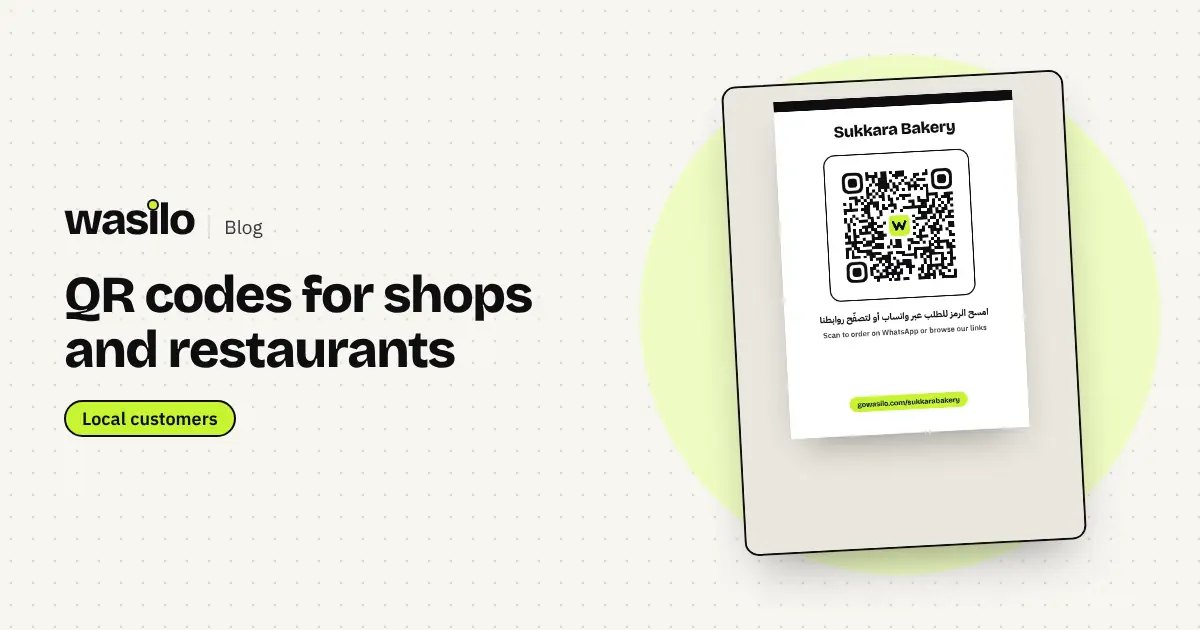
Every Wasilo page has a ready, branded QR code you can download as PNG or SVG from the editor, or print as a ready-made A6 table card (10.5 × 14.8 cm) with your business name, the code and the line "Scan to order on WhatsApp or browse our links". From the print dialog you can save it as a PDF and send it to the printer.
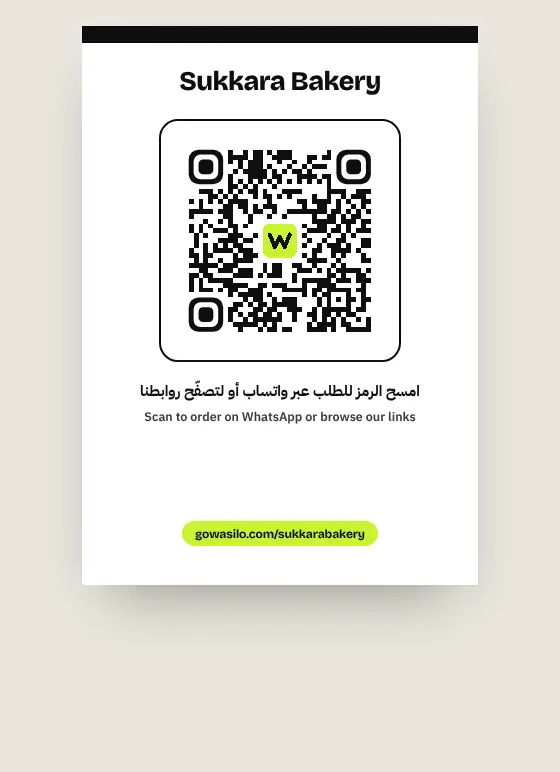
Better still, scans are counted in your page stats (from Basic), so you know whether the card on the table actually works.
Mistakes that make a QR code useless
- A code that opens a link that changed or expired. Use a permanent page link and change the page instead.
- A code with no line explaining the benefit.
- Printing it too small or on a glossy surface that reflects light.
- Not measuring. If you don't know how often it's scanned, you don't know if it deserves its spot.
To reach new customers around your branches, read the digital marketing guide for business owners from OBELIX Agency.
Frequently asked questions
Is the Wasilo QR code free?
Yes. The code and the table card are available for every page. Scan counts appear in stats from Basic.
If I change my page, do I need a new code?
No. The code opens your page link, which stays the same. Change your buttons and menu whenever you like.
Does the code work before I publish?
The code opens your page, so it won't work until you publish. Publish first, then print.